
Aaajl App Download: Official Android APK v3.1.4 & iOS Mobile Installation Guide
Download the official Aaajl mobile app for Android and iOS. Install latest APK v3.1.4 safely. Enjoy biometric login, instant notifications, and 60 FPS spins.
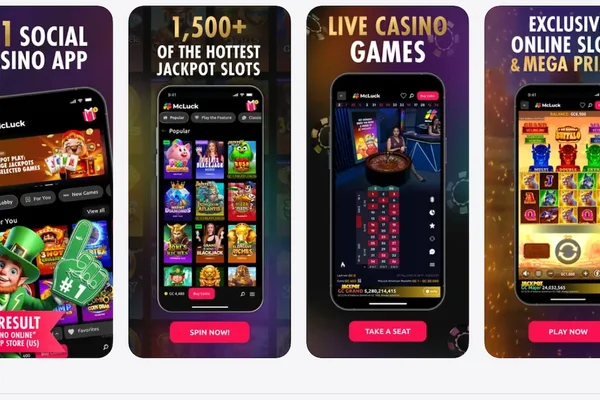
Experience seamless mobile gaming with the official Aaajl Mobile Client. Engineered specifically for Philippine smartphone networks, the Aaajl app delivers hardware-accelerated 60 FPS slot animations, zero-lag live dealer video streams, instantaneous biometric login, and direct one-tap GCash top-ups. Whether you are using an Android smartphone from Samsung, Xiaomi, realme, Oppo, or vivo, or an Apple iPhone running Safari, this technical guide provides verified installation instructions for Android APK v3.1.4 and the iOS Progressive Web App (PWA) directly from aaajl88.net.
Aaajl Mobile App Technical Specifications
| Technical Property | Android Native Specification | iOS Safari Web App Specification |
|---|---|---|
| Current Build Version | v3.1.4 Stable Release | Progressive Web App (PWA) |
| Package File Size | 28.4 MB (Lightweight) | 0 MB (Zero Local Storage Footprint) |
| Minimum OS Requirement | Android 7.0 (Nougat) or Higher | iOS 14.0 or Higher (Safari Browser) |
| RAM Utilization | ~85 MB During Active Gameplay | Browser Cache Dependent (<40 MB) |
| Biometric Security | Fingerprint & Face Unlock Supported | Apple Touch ID / Face ID Compatible |
| Automatic Updates | In-App Silent Patching | Instant Server-Side Cloud Sync |
| Data Optimization | 60% Lower Data Usage vs Browser | Dynamic WebP Asset Compression |
Step-by-Step Android APK v3.1.4 Installation Guide
Because the Google Play Store restricts real-money gaming applications across many regions, the official Aaajl Android client is distributed as a verified, secure standalone APK file. Follow these steps to install the package cleanly:
Step 1: Download the Verified APK File
Open your mobile browser on your Android device and visit aaajl88.net/download/. Tap the Download Android APK button. Your browser will begin downloading the installation package: `aaajl-v3.1.4.apk`.
Step 2: Permit Unknown App Installations
Android OS displays a standard precautionary prompt whenever an app is downloaded outside Google Play:
- When prompted with "File might be harmful", tap Download Anyway.
- If your device blocks the installation upon opening, navigate to:
`Settings > Apps & Notifications > Special App Access > Install Unknown Apps`.
- Locate your browser (e.g., Google Chrome) and toggle the switch to Allow from this source.
| Step # | Action / Process Flow | Operational Notes |
|---|---|---|
| Step 1 | Tap 'Download Android APK' | Standard system progression |
| Step 2 | Download aaajl-v3.1.4.apk | 28MB |
| Step 3 | Open Phone Settings | Standard system progression |
| Step 4 | Enable 'Install Unknown Apps' | Standard system progression |
| Step 5 | Tap APK in Downloads Folder | Standard system progression |
| Step 6 | Select 'Install' & Launch App | Standard system progression |
Step 3: Complete Package Installation
- Pull down your top notification tray and tap the completed `aaajl-v3.1.4.apk` download (or find it in your "Downloads" folder using the Files app).
- Tap Install in the lower right corner of the installer dialog.
- Once installation completes in 5 to 10 seconds, tap Open.
- The Aaajl gold icon is now permanently added to your home screen and application drawer.
Step-by-Step iOS Safari Progressive Web App (PWA) Setup
Apple's App Store enforces strict limitations on real-money gambling software. However, iOS users can access the complete Aaajl gaming suite with full-screen native performance by creating an official Safari Progressive Web App (PWA) shortcut. This requires no jailbreaking and consumes virtually zero internal storage.
How to Install on iPhone and iPad:
- Open the Safari web browser on your iPhone (do not use third-party browsers like Chrome for this initial setup).
- Navigate to the authentic platform address: aaajl88.net.
- Tap the Share button located on the bottom toolbar (the square icon featuring an upward-pointing arrow).
- Scroll through the options menu and select Add to Home Screen.
- The name field will default to "Aaajl". Tap Add in the upper right-hand corner.
- Return to your iPhone home screen. Tap the newly created Aaajl icon. The web app launches in dedicated standalone mode—without Safari address bars or navigation buttons—providing an authentic native app experience!
Key Benefits of Playing on the Aaajl Mobile App
Installing the dedicated mobile client provides distinct performance advantages over standard browser play:
1. Hardware Accelerated Graphics (60 FPS)
The native APK leverages your mobile device's GPU to render tumbling symbols and particle effects smoothly. Games like Pragmatic Gates of Olympus 1000 and Fa Chai Chinese New Year run with fluid 60 frames per second without frame drops or overheating.
2. Reduced Data Consumption
In-app assets (such as sound effects, UI buttons, and slot reels) are cached locally on your device during the initial 28MB download. This reduces cellular data usage by up to 60%, allowing you to play longer on standard Globe or Smart prepaid promos (such as GoEXTRA or GigaVideo).
3. Integrated Biometric Security
Avoid typing your password in public. The Aaajl mobile client integrates with your phone's fingerprint sensor and facial recognition, allowing you to log in instantly while keeping your account safe from shoulder surfing.
4. Direct Cashier Redirection
Depositing via GCash is significantly faster on the app. When you generate a deposit QR code, the app allows direct screenshot saving and automatic switching to your GCash application with a single tap.
5. Automated Background Updates
Whenever new slot releases from JILI, PG Soft, or Pragmatic Play are added to the catalog, the application silently syncs the new game modules in the background, eliminating the need to download large updates manually.
Troubleshooting Mobile App Issues
If you experience technical issues while downloading or running the mobile client, review these troubleshooting steps:
1. "Parse Error: There was a problem parsing the package"
- Cause: The APK download was interrupted by poor Wi-Fi or cellular connectivity, leaving an incomplete file on your device.
- Solution: Delete the existing `aaajl-v3.1.4.apk` from your Downloads folder, restart your browser, and download a fresh copy over a stable connection.
2. "App Not Installed" Error
- Cause: Insufficient internal storage space or an older conflicting version of the app already exists on the phone.
- Solution: Free up at least 100MB of storage space, uninstall any legacy versions of the app, reboot your phone, and install the new build.
3. Blank Screen or Infinite Loading Spinner
- Cause: Stale cached web assets or temporary local DNS blocking by your mobile carrier.
- Solution: Open `Phone Settings > Apps > Aaajl > Storage` and tap Clear Cache. Re-launch the app. If the issue persists, switch from mobile data to Wi-Fi.
4. iOS Safari Shortcut Opens in Browser Instead of App Mode
- Cause: Safari was closed unexpectedly during initial shortcut creation.
- Solution: Delete the existing home screen icon, restart Safari, visit aaajl88.net, and repeat the "Add to Home Screen" procedure.
Comprehensive Android Device Compatibility Matrix
The Aaajl development team regularly audits the APK v3.1.4 build against the top smartphone brands circulating in the Philippine market to ensure zero frame drops, responsive touch targets, and balanced battery consumption:
| Smartphone Manufacturer | Tested Model Series | Android OS Compatibility | Performance Benchmark |
|---|---|---|---|
| Samsung | Galaxy S21–S24, Galaxy A14–A54, Z Flip/Fold | Android 9.0 to 14 | 60 FPS / Instant Biometric Unlock |
| Xiaomi / Redmi / POCO | Redmi Note 10–13, POCO X5/F5, Xiaomi 12–14 | MIUI 12+ / HyperOS | Hardware Turbo Graphics Enabled |
| Oppo | Reno 7–11, Oppo A58/A78/A98 | ColorOS 11 to 14 | Smooth Reel Cascades / Low Heat |
| vivo | Y16–Y36, V27–V30, iQOO Neo | Funtouch OS 11 to 14 | Optimal Touch Sampling / 60 FPS |
| realme | realme C35–C55, Number Series 9–12 | realme UI 2.0 to 5.0 | High Power Efficiency / Stable 4G |
| Infinix / Tecno | Hot 20–40, Note 30, Spark 10–20 | XOS / HiOS 10 to 13 | Full Screen Native Scaling |
Permissions Requested by the APK
In alignment with strict privacy standards, the Aaajl mobile client requests only bare functional permissions necessary for gameplay and cashier security:
- Network Full Access: Connects your device to encrypted game servers and real-time cashier gateways.
- Biometric Hardware API: Enables fingerprint or facial recognition login directly on the device. Your biometric signatures remain strictly encrypted within your phone's local security enclave and are never transmitted to our servers.
- Vibration Motor Control: Powers optional haptic feedback sensations when triggering big wins, free spin scatters, or jackpot wheels on titles like JILI Boxing King.
- Internal Storage Access (Read/Write): Saves cached game assets (WebP symbol placecards, UI fonts, and soundtrack clips) to your local device cache, dramatically cutting down cellular mobile data usage.
Battery Optimization Tips for Long Gaming Sessions
To prevent Android's aggressive background power management from abruptly closing your gaming session during free spins:
- Navigate to `Settings > Battery > Battery Optimization`.
- Locate Aaajl in the application list.
- Select Don't Optimize (or "Unrestricted Background Usage").
This ensures your live WebSocket connection to Evolution Gaming or Pragmatic Play servers remains uninterrupted even if you switch apps momentarily to respond to a GCash SMS notification.
Frequently Asked Questions About the Aaajl App
Yes. The official package (`aaajl-v3.1.4.apk`) is digitally signed, verified through automated SHA-256 checksums, and thoroughly tested against mobile malware databases. Only download the APK from verified links on aaajl88.net.
No. The application is exceptionally lightweight (28.4MB download size) and operates with modest memory utilization (~85MB RAM). It runs smoothly on budget Android devices with 3GB of RAM or higher.
When an update is released, the app displays an automated notification upon launch: "New version detected. Update now?" Simply tap Update to download the silent patch without needing to reinstall the app manually.
Yes. The mobile app contains the full cashier module. You can deposit starting from ₱50 via GCash, Maya, and GrabPay, and submit withdrawal requests directly to your e-wallet.
Google Play Store policies restrict real-money gaming applications across numerous international markets, including the Philippines. Distributing the verified APK directly via aaajl88.net ensures all Filipino players can access the app without third-party app store restrictions.
Yes. You can install the application on multiple devices (such as a personal smartphone and tablet). For security, logging in on a second device will automatically log out your previous session.
Yes. You can toggle the app interface between English and Tagalog by navigating to `Account Settings > Language Selection`. Customer support chat is also accessible 24/7 in both English and Tagalog.
Rafael brings over 9 years of hands-on experience auditing RNG payout mathematics, BMM/GLI studio certifications, and automated QRPH e-wallet settlement gateways in Taguig (BGC), Metro Manila. All published RTP metrics, turnover formulas, and GCash/Maya payout speeds on Aaajl are verified through live real-money testing.